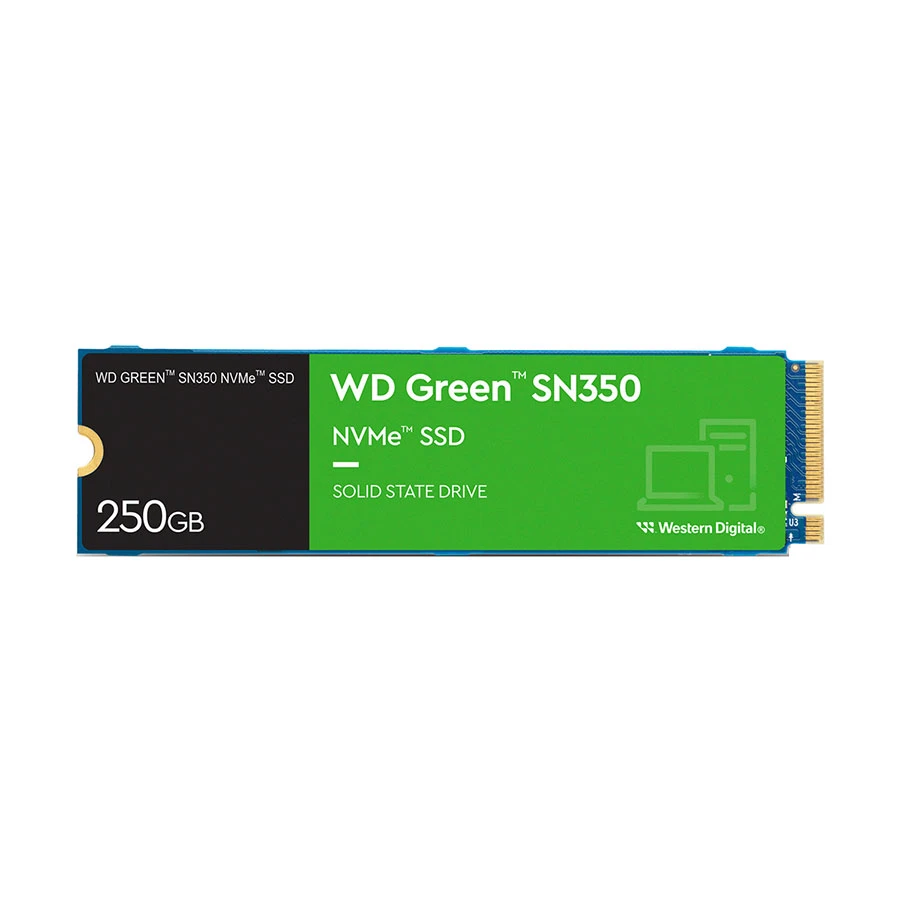
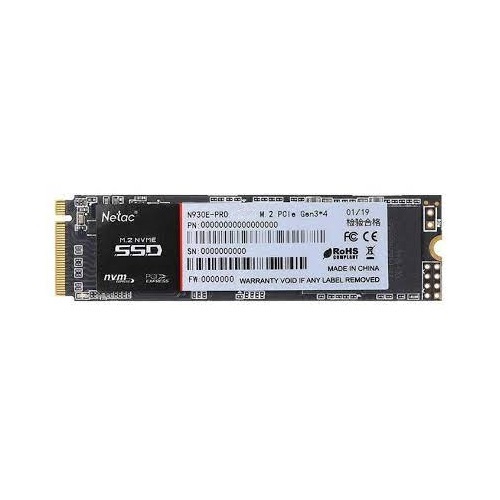
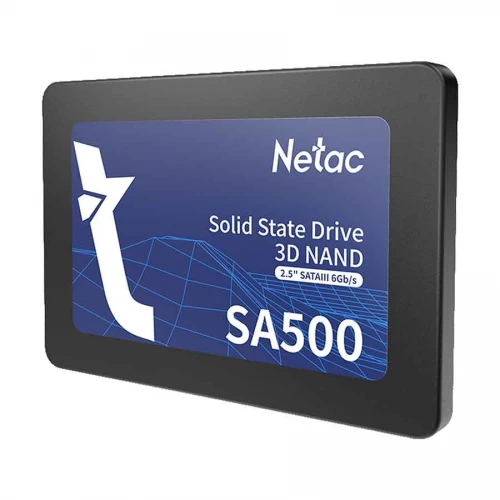
Internal SSD Price in Bangladesh – Buy the Right SSD
An internal SSD is one of the easiest ways to make a laptop
or desktop faster, smoother, and more responsive. At REVO GADGET, you can
compare internal SSD prices in Bangladesh by capacity, interface, form
factor, NAND type, performance, and intended use to find the right drive for
your system and budget.
Whether you need an SSD for a laptop upgrade, office
computer, gaming PC, programming, video editing, or everyday storage, choosing
the correct interface and capacity is essential for getting the performance you
actually need.
Best Internal SSD by Use Case
SSD for Laptop Upgrade – Students & Home Users
For older laptops and everyday home computers, a 2.5-inch
SATA SSD is often the most practical upgrade. It can significantly improve
Windows boot times, application loading, file access, and overall system
responsiveness without requiring a newer motherboard or laptop.
If your laptop supports an M.2 NVMe SSD, an NVMe drive can
provide even higher performance. However, SATA remains an excellent value
option for compatible older systems.
Product Example:
Redragon RM-312 256GB M.2 2280 Internal SSD
SSD for Office PC & Business Use
For office computers, business desktops, and general
professional workloads, 512GB to 1TB SATA or NVMe SSDs offer a practical
balance of capacity, reliability, and performance.
For business users, consistent everyday performance, product
authenticity, brand reliability, and warranty support are often more important
than choosing the fastest benchmark-performing SSD.
Product Example:
OSCOO OS001 512GB 2.5 Inch SATAIII Blue Internal SSD
Best SSD for Gaming PC in Bangladesh
For gaming computers, a 1TB NVMe SSD is generally an
excellent choice for storing games, applications, and the operating system.
PCIe Gen3 and Gen4 NVMe drives can provide much faster data transfer speeds
than traditional SATA SSDs.
An SSD can reduce game loading times and improve overall
system responsiveness. For gamers who regularly install large modern titles,
1TB or higher capacity can also help avoid frequent storage management.
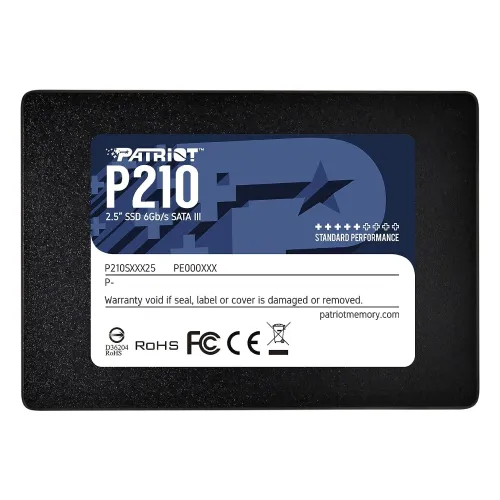
Product Example:
Patriot P210 1TB 2.5 Inch SATAIII SSD
SSD for Video Editing & Graphic Design
Video editors, graphic designers, photographers, and other
creative professionals can benefit from 1TB or 2TB NVMe SSDs,
particularly when working with large media files and demanding applications.
For heavier workloads, factors such as NAND quality,
controller performance, sustained write speed, endurance, and thermal
management become increasingly important. A higher-quality SSD can provide more
consistent performance during large file transfers and repeated editing or
exporting tasks.
Product Example:
TwinMOS Hyper H2 Ultra 1TB 2.5 Inch SATAIII Internal SSD
SSD for Programming & Development in Bangladesh
Developers and programmers can benefit from a 512GB to
1TB NVMe SSD, especially when working with large codebases, virtual
machines, development environments, databases, and multiple applications.
Fast random read/write performance can make tasks such as
project indexing, package installation, compiling, and launching development
tools feel more responsive. For primary development storage, consistency and
endurance can be more valuable than simply choosing the cheapest high-capacity
drive.
Product Example:
OSCOO 512GB M.2 2280 NVMe PCIe Gen4x4 Black Internal SSD
SSD for Content Creators
Writers, freelancers, designers, students, and general
content creators can usually get excellent everyday performance from a 512GB
SATA SSD or entry-level NVMe SSD.
For these users, the main objective is faster application
startup, smoother multitasking, quicker file saving, and reduced waiting time.
A high-end Gen4 SSD is not always necessary when the workload does not require
sustained high-speed transfers.
Product Example:
ADATA SU650 1TB 2.5 Inch SATAIII SSD
Internal SSD Specifications – What to Check Before You
Buy
Interface
SATA SSDs are suitable for many everyday upgrades and
older computers. NVMe SSDs use PCIe connectivity and can deliver
significantly higher performance when supported by the laptop or motherboard.
Capacity
512GB is a practical starting point for most users,
while 1TB generally provides a better balance between usable storage and
long-term value. Users working with large media files, games, or professional
projects may benefit from 2TB or more.
NAND Type
TLC NAND is generally preferred for users who want a
good balance of performance, endurance, and value. QLC NAND can provide
affordable higher capacities but may be less suitable for workloads involving
frequent large-volume writes.
TBW & Endurance
Terabytes Written (TBW) indicates the estimated amount of
data that can be written to a drive over its rated lifespan. Higher endurance
can be particularly valuable for video editing, development, professional
workloads, and systems with frequent data writes.
Form Factor
Before purchasing, check whether your device supports a 2.5-inch
SATA SSD, M.2 SATA SSD, or M.2 2280 NVMe SSD. The physical size and
interface must match your laptop or motherboard.
Warranty & Authenticity
For important data and long-term use, choose a genuine SSD
from a reliable retailer. Keep your purchase invoice and verify the applicable
brand warranty or support terms before buying.
Internal SSD Brand Comparison in Bangladesh
|
Brand
|
Market Segment
|
Best For
|
|
OSCOO
|
Entry / Budget
|
Budget OS upgrades and secondary storage
|
|
Transcend
|
Entry / Mid
|
Students, office users, and everyday upgrades
|
|
TEAM
|
Mid / High
|
Gaming and high-speed Gen4 systems
|
|
ADATA
|
Entry / Mid / High
|
Budget SATA through performance NVMe
|
|
TwinMOS
|
Entry / Mid
|
Laptop and office PC upgrades
|
|
MiPhi
|
Entry / Budget
|
Secondary and light-use storage
|
|
Apacer
|
Entry / Mid
|
Mainstream upgrades and budget NVMe
|
|
Patriot
|
Entry / Mid / High
|
Gaming, development, and performance systems
|
|
Netac
|
Entry / Mid
|
Budget-conscious everyday users
|
|
Western Digital
|
Mid / High
|
Office, gaming, and premium systems
|
For many buyers in Bangladesh, Transcend, Apacer, Netac,
and TwinMOS can be practical choices for everyday upgrades. For users
prioritizing higher performance, gaming, or demanding workloads, brands such as
Western Digital, TEAM, ADATA XPG, and Patriot offer stronger
performance-oriented options.
How to Choose the Best Internal SSD
Check Your Laptop or PC Slot Type
Before comparing speed or price, determine whether your
computer supports 2.5-inch SATA, M.2 SATA, or M.2 NVMe. Buying an SSD
with an incompatible interface is one of the most common SSD purchasing
mistakes.
SATA vs NVMe – Choose the Right Interface
Choose SATA when your device only supports SATA or
when you want an affordable everyday upgrade. Choose NVMe when your
system supports PCIe NVMe and you need faster performance for gaming,
professional applications, programming, or demanding workloads.
Choose the Right Capacity
512GB is a practical entry point for most users,
while 1TB is often the better long-term choice. Consider 2TB or more
if you work with large files, maintain extensive game libraries, or want to use
a single drive for your operating system, applications, and data.
TLC vs QLC – Know the Difference
If your budget allows, TLC is generally the preferred option
for a primary drive because of its balance of performance and endurance. QLC
SSDs can be suitable for light everyday use and users who prioritize capacity
and affordability.
DRAM vs DRAM-less SSD
SSDs with DRAM can provide advantages in sustained workloads
and overall performance consistency. DRAM-less SSDs can still be suitable for
everyday users, especially when price and basic storage performance are the
primary considerations.
SSD Price in Bangladesh – Warranty, Cloning & Local
Buying Tips
✓ Cloning
Upgrading from an HDD to an SSD does not always require
reinstalling Windows. Drive-cloning software can be used to migrate an existing
operating system and files to a new SSD when the setup supports it.
✓ Power Cuts
SSDs have no moving mechanical parts, making them a popular
choice for computers used in environments where power interruptions can occur.
However, important data should always be protected with regular backups.
✓ Heat
High-performance NVMe SSDs can generate more heat than SATA
drives, particularly during sustained workloads. Check your laptop or PC's
cooling design and consider adequate airflow or an appropriate heatsink where
required.
✓ Warranty
Always keep your invoice and check the applicable
manufacturer or seller warranty terms. Warranty coverage can vary depending on
the brand, model, and seller.
✓ Authenticity
Buy SSDs from a trusted retailer to reduce the risk of
counterfeit, refurbished, or incorrectly represented products. Check the model,
capacity, packaging, and applicable warranty information before purchase.
Shop Internal SSDs in Bangladesh
Explore the REVO GADGET collection of internal SSDs
and compare available capacities, interfaces, brands, and prices to find the
right storage upgrade for your laptop or desktop.
.webp) Computer Items
Computer Items
 Mobile Accessories
 Car Accessories
 Audio & Headphones
 Smart Home Electronics
 Beauty & Self Care
 Smart Watches
 Office Accessories
 Lifestyle & Travel
 Tools & Spare Parts